Practical guide
How to Make the Devil Wears Prada Outfit Transition
$9.99 per video
Approx. 15 seconds · 4:3 MP4 · 720p model setting · model-generated audio
Choose a photo to startOne-time payment. No subscription. Review your photo here and the final amount and currency at checkout.
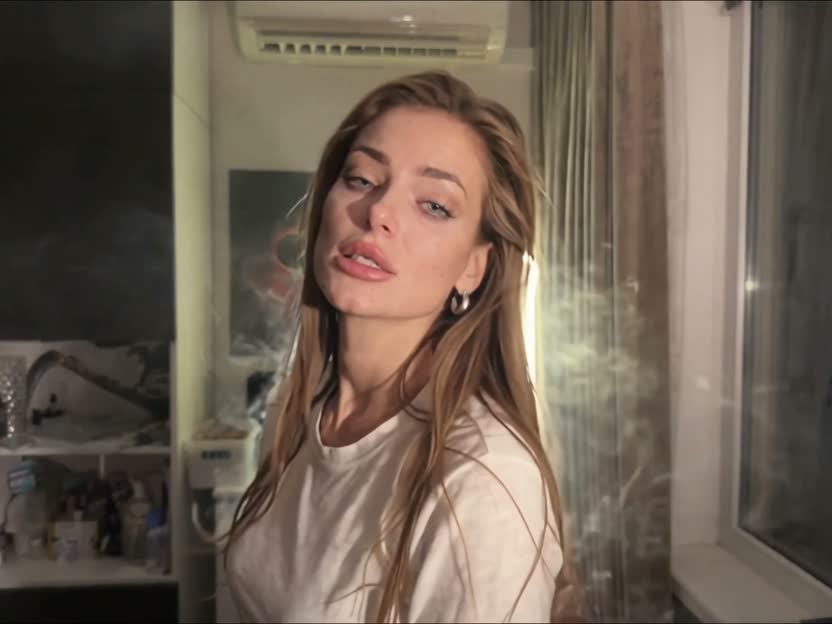
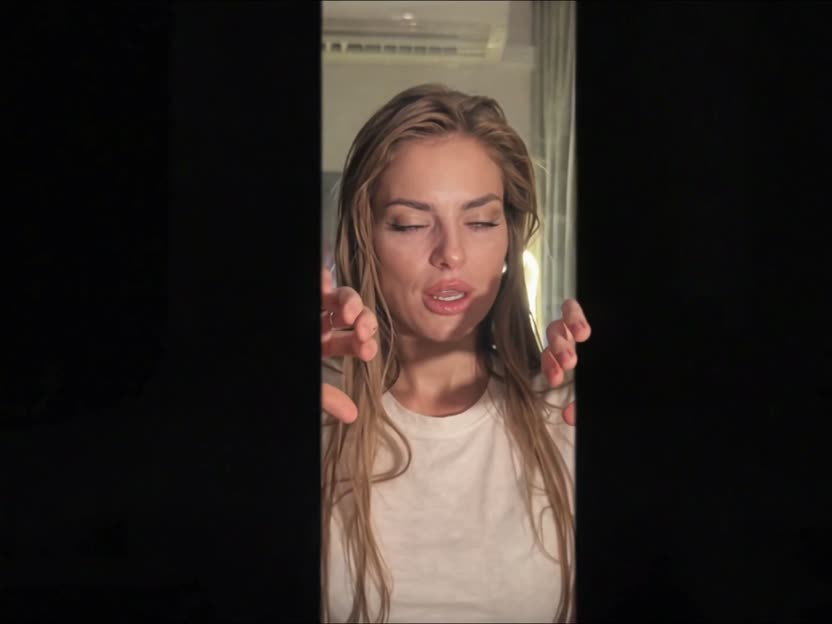
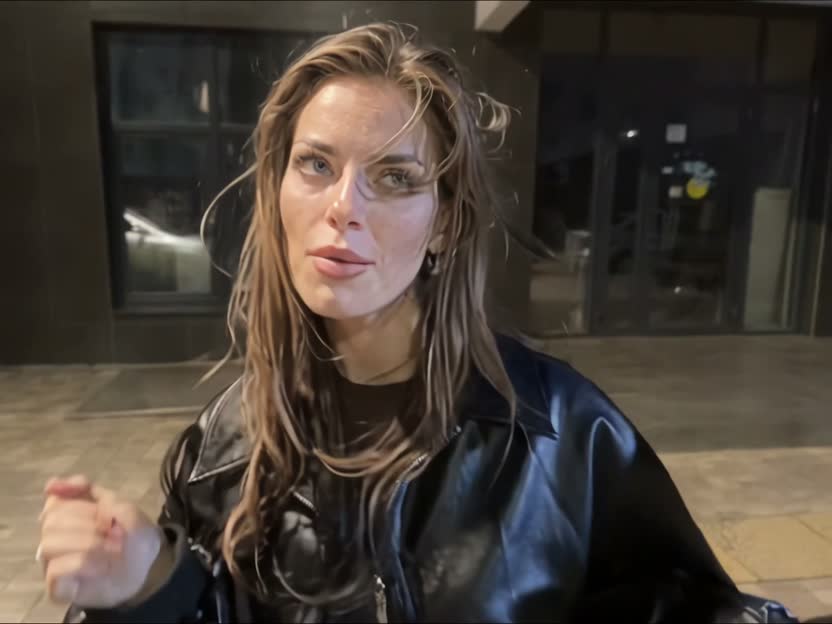
The Devil Wears Prada outfit transition moves from a casual indoor performance to a night-street look: the performer interacts with black frame edges, then the picture cuts directly to the outdoor scene. You can film both parts yourself or try a photo-based AI recreation.
Devil Wears Prada AI costs $9.99 USD for one generated video. This is a one-time Stripe payment after sign-in, with no subscription or required credit pack. The result is an approximately 15-second, 4:3 MP4 using the 720p model setting and model-generated audio.
Video specifications
- Input
- One clear photo of one consenting adult
- Length and framing
- Approx. 15 seconds · 4:3 · MP4
- Model setting
- 720p
- Template
- Indoor performance → black edges → night street
- Access
- Sign-in and payment
- Audio
- The download keeps the model-generated audio
Can I make it from one photo?
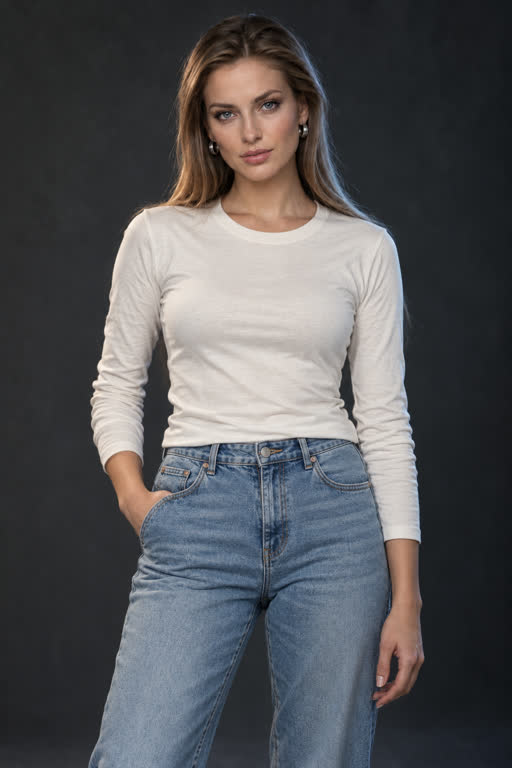
Yes, the generator accepts one photo. Choose a clear, evenly lit image with one visible face and an unobstructed upper body. Use your own photo or an adult’s photo with their permission. The image supplies identity; the reference clip supplies the performance and scene timing.
- Choose a JPEG, PNG or WebP photo and confirm consent.
- Sign in or create an account using an available sign-in option.
- Pay $9.99 and start your 15-second video.
- Review the result before downloading or sharing it.
Should I use AI or film it myself?
AI is useful when you want to explore a recreation from a still photo without filming two performances. It can change facial features, fingers or movement, so check the output rather than assuming an exact match.
Manual filming gives you direct control over your face, outfit and performance. Record an indoor take and a night-look take to the same audio, align the movement near the cut, then join them in an editor such as CapCut. You need an editor for that workflow; you do not need CapCut to run the AI generation.
Watch the full generated exampleHow much does one AI video cost?
Devil Wears Prada AI costs $9.99 USD for one generated video. This is a one-time Stripe payment after sign-in, with no subscription or required credit pack. The result is an approximately 15-second, 4:3 MP4 using the 720p model setting and model-generated audio.
Read the refund policyDoes the video include the original trend song?
Devil Wears Prada AI keeps the audio generated by the model. It does not separately add the original trend song. Listen to the full generated example before choosing this workflow.
Watch the full generated exampleHow do I match the black-edge transition and music?
In the linked reference, the black edges narrow during the indoor performance and the direct cut occurs at about 9.23 seconds. Use that reference’s timing if you want to recreate its specific choreography. There is no white flash or dissolve at the cut.
The AI generation asks for synchronized movement and delivers the model-generated video and audio unchanged. Watch with sound and compare the hand movements, mouth motion and cut timing before sharing.
Is the output vertical or landscape?
The generator outputs 4:3. The generated example below keeps the delivered framing; the hero preview is an excerpt, not a vertical output option. If you make a 9:16 version in an editor, preview the crop carefully: hands and black edges near the sides can be lost. 1080p is not an option in the generator.
How do I check that the result still looks like me?
Check the face at the start, while the hands or edges partly hide it, and immediately after the night-scene cut. Compare the hairline, facial structure and skin tone. Then check fingers, clothing and lip movement. A sharper export does not repair identity changes.
Generation time and visual quality vary. There is no published success-rate benchmark or fixed completion-time guarantee for this product. If a result fails these checks, do not treat it as a finished example.
Reference and example disclosure
The demonstration below was generated through our website from a fictional adult portrait on 22 October 2026. The full video retains its delivered model audio. The trend template was informed by the original @nopowerbaank reference, recorded as licensed in our asset register. The product team prepared this guide; reference choreography and generated results are distinct.
View the original reference on TikTok